Tag Archives: ancestry.com

Tuesday’s Tip — New Job, Punctuation and New Perspective

After 4 years at Ancestry.com I’m working at a different job and therefor not paying as much attention to my blogging the last few days.  I’m now the product manager for Institutional and Library version of our product working with Kim Harrison.  I’m super excited about learning how we can best serve libraries and other organizations who use our products to assist their patrons with genealogy research.  It’s a different way to look at Ancestry.com and it has given me a new perspective on what we do.

When I haven’t been doing that, I’ve been working on cleaning up my sources.  Well, I’ve also been watching the Olympics and cleaning up my sources. I really thought that this was going to be tedious, but not so.  I’ve been working on them by source, and I’ve been noticing something when I’m done with a group, for instance 1840:
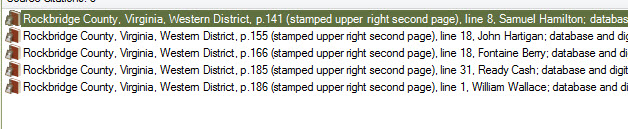
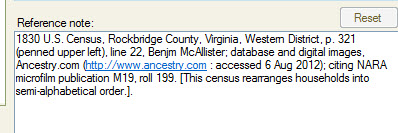
You can quickly tell who lived close and who did not, assuming of course that the records aren’t in semi alphabetical order, which should be in the source as well.
And by the time I get to 1850, I see families and their proximity to one another:
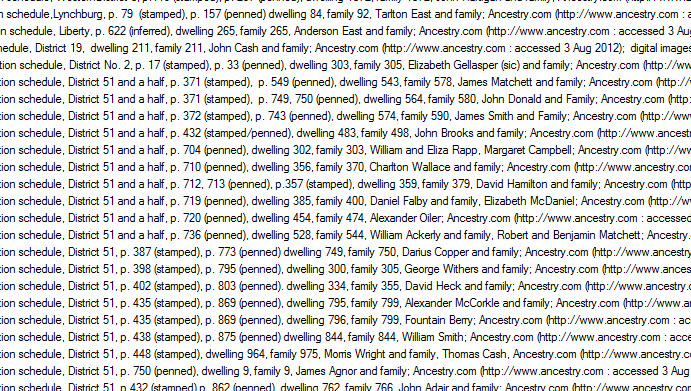
You just don’t see that in a family tree.  You see who your ancestors are, but you don’t see them in proximity.  This combined with Thomas MacEntee’s article: uencounter.me – A Way To Plot Cluster Genealogy Research makes me think what if I did genealogy for a week, and didn’t use a family tree.  What might I learn?

But first I have to finish my sources. I am on a mission. 🙂

Oh, and punctuation.  I know where the colon goes in the piece of documentation that is: (http://www.ancestry.com : accessed 4 Aug 2012), but I’ve been writing it as (http://www.ancestry.com accessed : 4 Aug 2012).  And I taught it in my livestream class that way.  No one is perfect, I suppose.

This weeks theme will be sourcing.  And I’m discovering the more I do it, the more I like it.  Who knew?
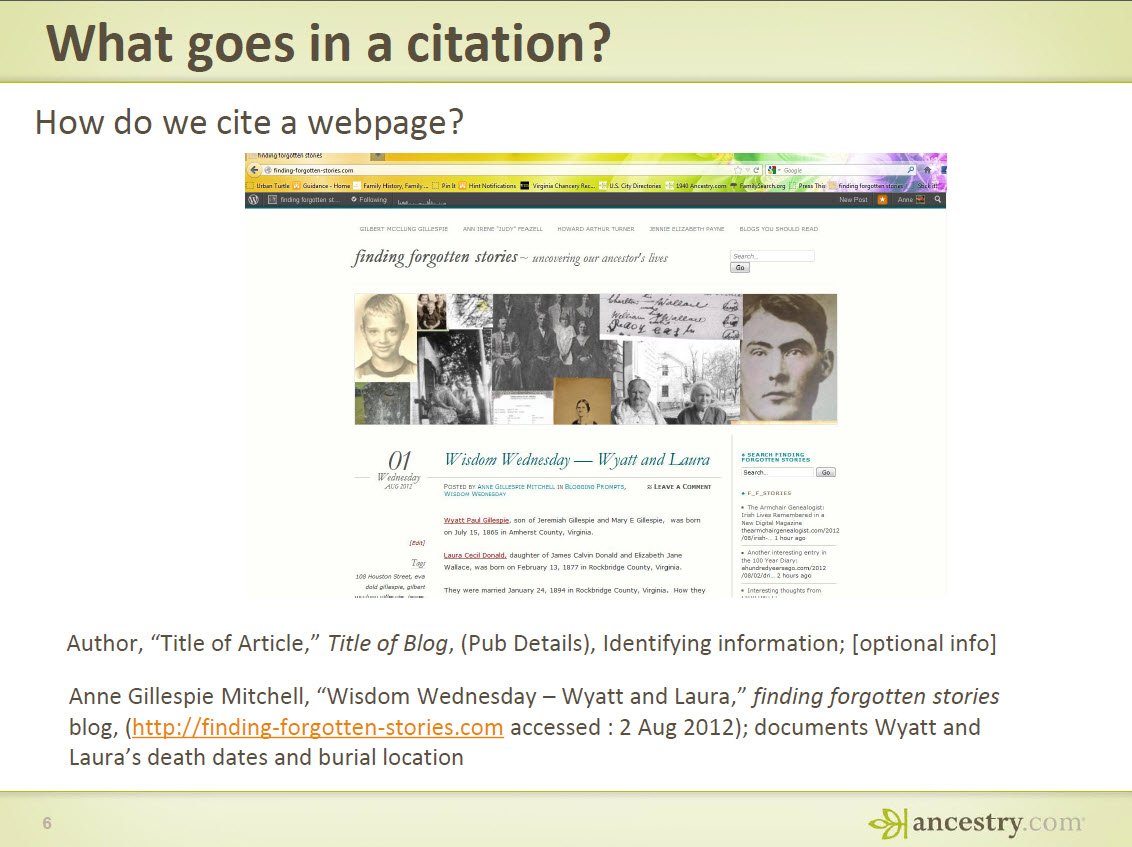
Treasure Chest Thursday — Sourcing Presentations

I don’t know if these are treasures, but these are the PDF’s of the sourcing presentations I’ve done for Ancestry.com

From Citing Sources Part 2

Happy Sourcing!

Tuesday’s Tip — Ask Ancestry Anne’s Top 20 Search Tips

I posted a series of Search Tips specific to Ancestry.com and thought that they might be worth rehashing here.  Here are my top 20 search tips:

  1. Shaky Leaves — Ancestry.com will do searches for you
  2. Place Pages — 30,000+ data collections organized by country, state and county.  Great way to find data collections you may never have seen
  3. Card Catalog — How to find where your ancestors may be hiding in 30,000+ data collections
  4. Finding Local Histories — Local histories give you context and hide many hidden gems
  5. Finding Surname Histories — You never know who may have documented part of your family tree
  6. City Directories — New technology have made these goldmines easier to search
  7. Ancestry.com Wiki  — Red Book and The Source for free
  8. Message Boards — See what other people are looking for and ask a question yourself
  9. One World Tree — There are hidden treasures in here; find out how to uncover them
  10. It’s a Big Web Out There — Suggestions to Ancestry.com members on where else they might look
  11. Name Filters — How to narrow down your searches and get known name variations
  12. Location Filters — My favorite filter; adjacent counties rock!
  13. Wildcards — Tried and trued, but it still works
  14. Limit Your Scope — Start with a small search and then expand out
  15. Category Searches — Search one record type at a time
  16. Use Facets — Don’t ignore the left side of your search results page
  17. Search From Your Trees — User your online tree to populate your searches
  18. Read the Search Form — Effectively searching a data collection requires you to understand what is in there and what is indexed
  19. First or Last Name Searches — If you can’t find out who you are looking for, try one of these techniques
  20. Look for Family Members — If your direct ancestor is hiding, look for his or her family